R2D2: Robust Reconstruction via Depth Data

Autonomous Block Manipulation with SAM3 and ROS 2

University of California, Berkeley
EECS 106A: Introduction to Robotics (Fall 2025)
R2D2 System Overview

R2D2 utilizes the Segment Anything Model 3 (SAM3) to perceive unstructured block piles and manipulate them using a UR7e robotic arm via a custom ROS 2 planning pipeline.

1. Introduction

Unpacking boxes from a truck or sorting objects in a cluttered warehouse remains a challenging "unsolved" problem in robotics due to the variability in object pose, lighting, and occlusion. In this project, we present R2D2: Robust Reconstruction via Depth Data, a pipeline that uses a set of blocks (Jenga and colored cubes) as a proxy to demonstrate robust picking and placing in unstructured environments.

The Core Problem: Traditional computer vision techniques (like color thresholding) are brittle to lighting changes, while standard grasp planners often struggle with tightly packed objects. By integrating Foundation Models (SAM3) with a robust kinematic planning stack, we aim to solve the problem of autonomously disassembling and reassembling structures without pre-programmed positions.

Real-world Application: The technologies demonstrated here—zero-shot segmentation and depth-based pose estimation—are directly applicable to automated truck unloading, shelf stocking in retail, and recycling sorting lines.


2. Design

Design Criteria

To achieve reliable manipulation, our system was designed to meet three specific criteria:

  1. Perceptual Robustness: The system must detect individual blocks regardless of color, texture, or lighting conditions.
  2. Autonomous Planning: The robot must determine the optimal order of operations (which block to pick first) without human intervention.
  3. Kinematic Feasibility: The system must generate valid, collision-free trajectories for a 6-DOF arm.

Design Choices & Trade-offs

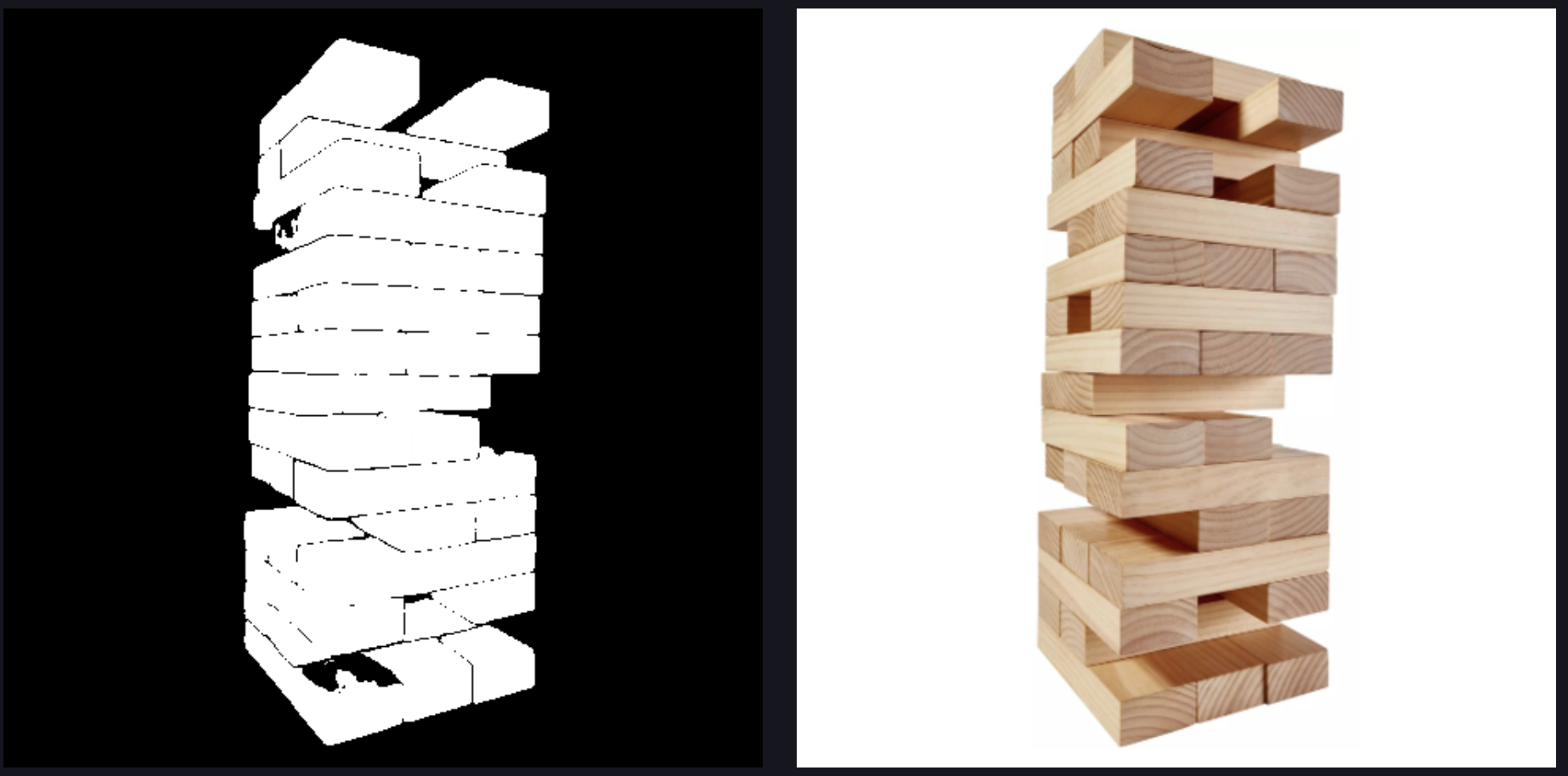
SAM3 Segmentation on Jenga

Figure 1: SAM3 producing instance masks on a Jenga tower.

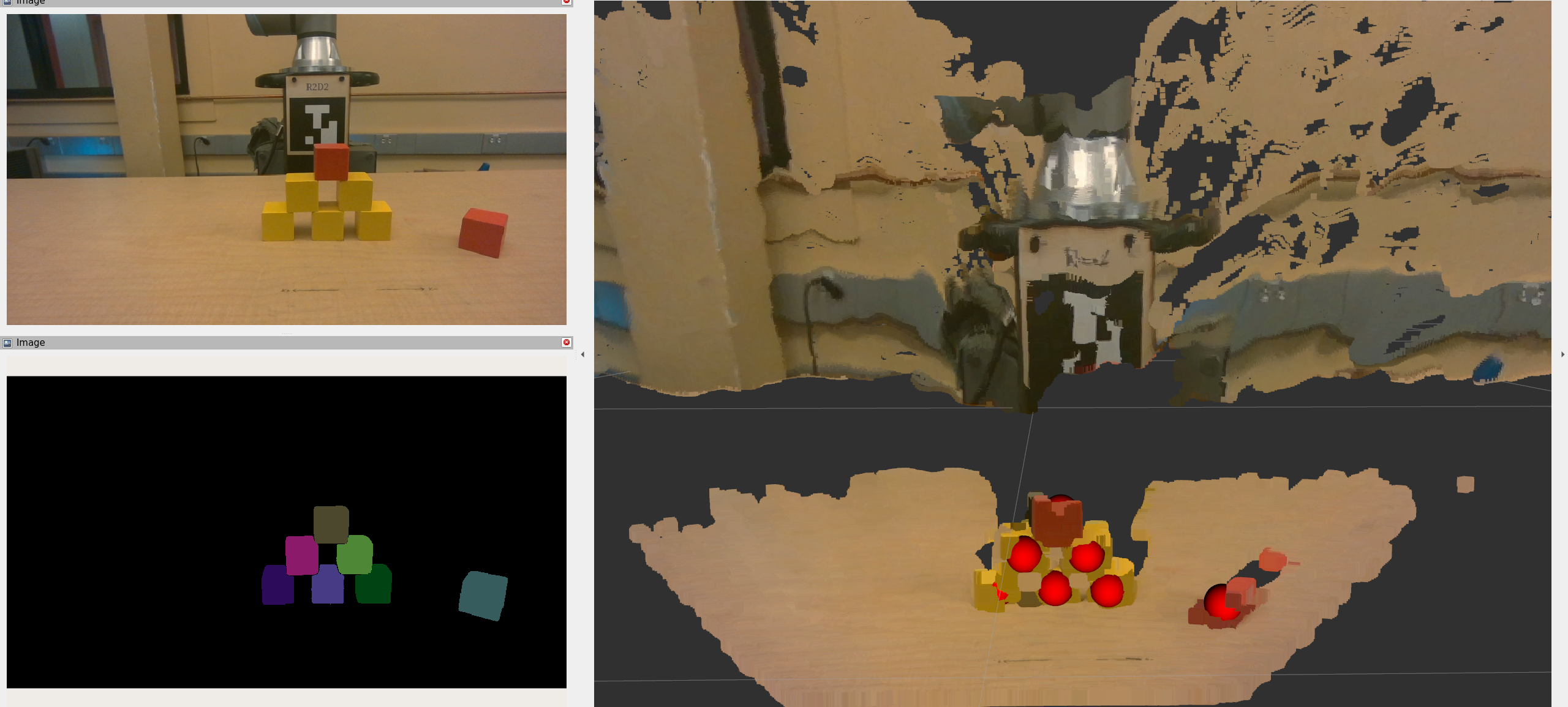
SAM3 Segmentation on Blocks

Figure 2: SAM3 instance masks on blocks in the workspace.

1. SAM3 vs. SAM2/Traditional CV: We initially experimented with SAM2 but found it lacked the granularity to separate tightly stacked blocks. We upgraded to SAM3, which offered superior instance segmentation.
Trade-off: SAM3 is computationally heavy. We offloaded inference to a GPU server via ngrok, introducing a slight network latency (~2s per scan) in exchange for significantly higher accuracy.

2. Greedy vs. Global Planning: We implemented a "Height-First" greedy planner. The robot always removes the block with the highest Z-coordinate.
Trade-off: This is computationally efficient O(N log N) but ignores physical stability (center of mass), which means it could theoretically topple unstable structures.


3. Implementation

Hardware Setup

We utilized a UR7e 6-DOF robotic arm equipped with a pneumatic gripper. Perception was handled by an Intel RealSense D435i RGB-D camera mounted externally to provide a global view of the workspace.

Software Architecture (ROS 2 Humble)

Our codebase is modularized into three primary nodes: Perception, Planning, and Execution.

A. Perception Pipeline (`block_detection.py`)

The perception node subscribes to aligned depth and color images. It sends the RGB image to our hosted SAM3 server with the prompt "square cube".

Once binary masks are returned, we compute the 3D centroid of each block. We project the 2D mask centroid \((u, v)\) into 3D space \((X, Y, Z)\) using the pinhole camera model and the depth \(Z\) obtained from the aligned depth map:

$$ X = \frac{(u - c_x) \cdot Z}{f_x}, \quad Y = \frac{(v - c_y) \cdot Z}{f_y} $$

Where \(f_x, f_y\) are the focal lengths and \(c_x, c_y\) are the optical centers from the camera intrinsic matrix.

B. Coordinate Transformations (`static_tf.py`)

We utilized tf2_ros to manage the transform tree. A crucial step was calibrating the camera frame relative to the robot's base frame. We calculated the homogeneous transform \(G_{base}^{camera}\) such that points detected in the camera frame could be transformed into the robot's planning frame:
point_in_base = do_transform_point(point_in_camera, tf_buffer)

C. Motion Planning & IK (`ik.py` & `disassembly.py`)

We developed a custom Inverse Kinematics (IK) wrapper using the GetPositionIK service. The state machine follows this sequence:

  • Pre-Grasp: Solve IK for \(P_{target} + [0, 0, \text{offset}]\) with the gripper orientation fixed downwards (Quaternion: \([0, 1, 0, 0]\)).
  • Grasp: Linear descent to \(P_{target}\).
  • Retract & Drop: Plan a collision-free path to the bin using MoveIt's RRTConnect planner.
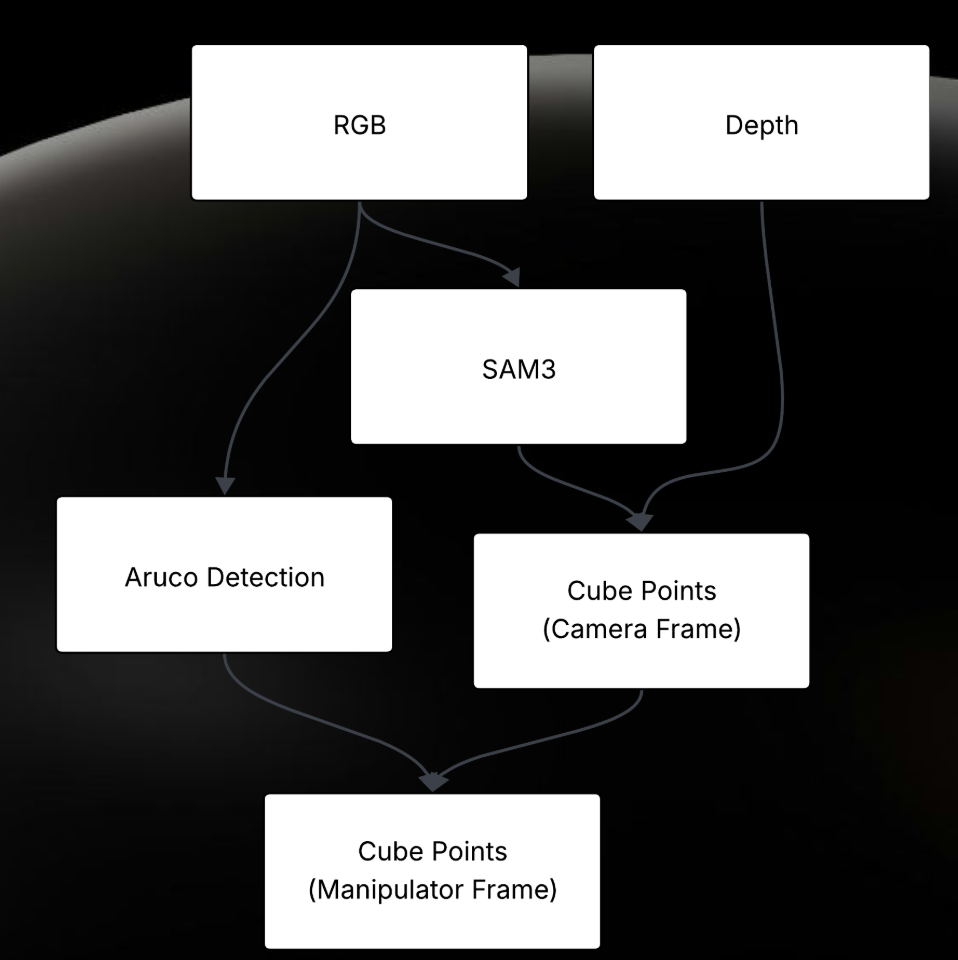
Software Architecture Diagram
Figure 3: System Data Flow from RGB Input to Motor Execution.
4. Results

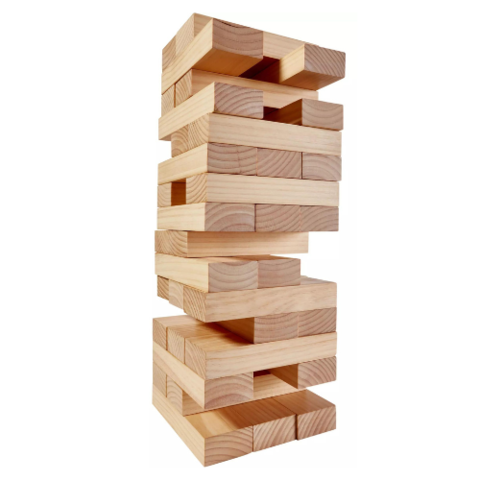
The final system achieved a perception refresh rate of approximately 26 FPS (excluding SAM inference time). We successfully demonstrated the unstacking of complex Jenga towers and scattered blocks.

Demo 1: Disassembly

The robot detects the highest block and removes it to a safe zone.

Demo 2: Assembly (Restacking)

Using a GUI to define a target pattern, the robot rebuilds the structure.

Performance Analysis

Success Rate: In trials with standard Jenga blocks, the system achieved a pick success rate of >85%. Failures were primarily due to depth noise at block edges causing slight grasp offsets.

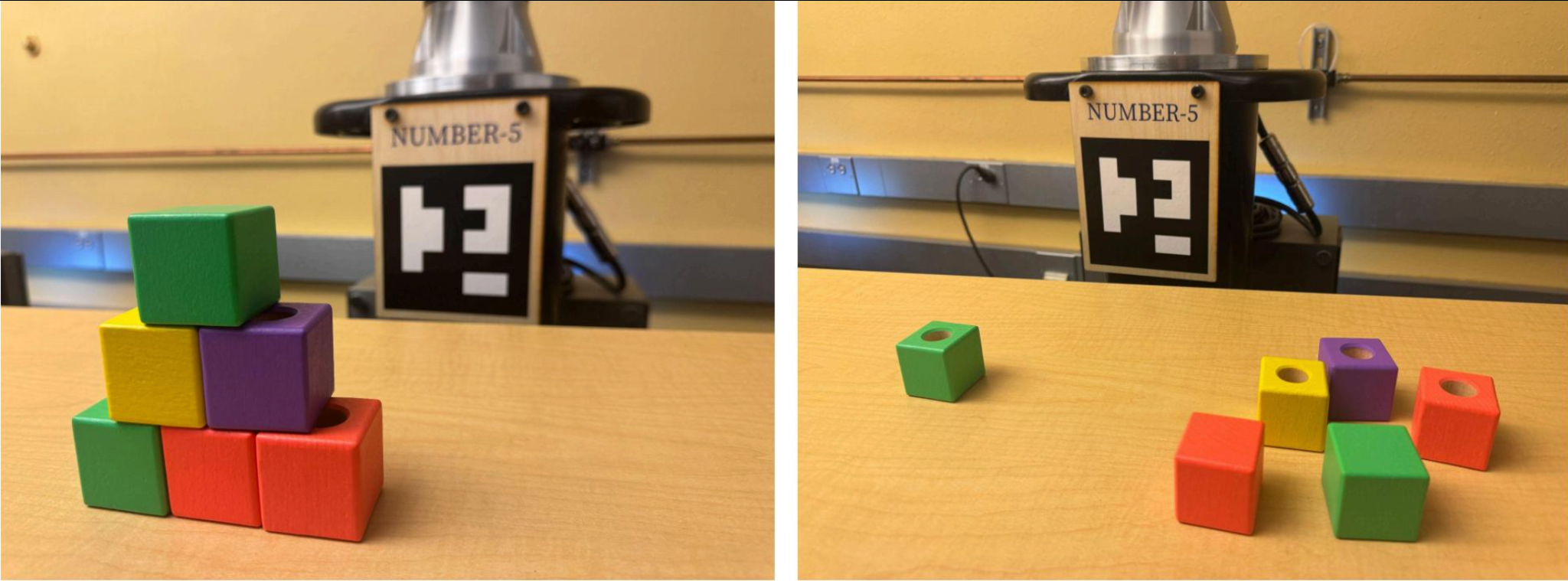
Disassembly Before and After
Figure 4: Left: Initial State. Right: Successfully cleared workspace.

5. Conclusion

R2D2 successfully integrates state-of-the-art vision models with robust robotic control to solve the unstacking problem. We demonstrated that Foundation Models like SAM3 can effectively replace brittle, tuned computer vision pipelines in robotics.

Difficulties & Limitations

  • Camera Intrinsics: We faced significant challenges with the depth-to-world projection. Slight inaccuracies in the intrinsic matrix \(K\) led to grasping errors of 1-2cm, which we mitigated via manual offset tuning in disassembly.py.
  • Orientation Constraints: Our current block_detection.py assumes blocks are roughly axis-aligned or utilizes a fixed top-down grasp. It does not currently regress the 6-DOF pose (yaw) of the block.

Future Improvements

If given more time, we would implement:

  1. Vision-Language Integration (VLM): Allowing users to command "Pick up the red block" using a VLM to filter SAM masks.
  2. 6-DOF Pose Estimation: Using PCA on the point cloud of the segmented mask to determine the block's orientation (yaw) for better grasping of angled blocks.
  3. Closed-Loop Control: Using visual servoing to correct the hand position during the descent phase.


6. Team

Josh Zhang

Josh Zhang

Role: Manipulation & Planning.
Josh developed the MoveIt integration, the custom IK solver wrapper, and the logic for the assembly/disassembly state machines.

Anish Sasanur

Anish Sasanur

Role: Perception & Depth.
Anish worked on the depth projection pipeline, transforming 2D masks into 3D world coordinates and handling TF calibrations.

Jameson Crate

Jameson Crate

Role: SAM3 Integration.
Jameson set up the SAM3 inference server and optimized the image segmentation prompts for block detection.


7. Additional Materials

All source code, launch files, and documentation are linked below:

BibTeX

@article{r2d22025,
  author    = {Zhang, Josh and Sasanur, Anish and Crate, Jameson},
  title     = {R2D2: Robust Reconstruction via Depth Data},
  journal   = {EECS 106A Final Project},
  year      = {2025},
}